Showing posts with label mods. Show all posts

Saturday, November 22, 2014

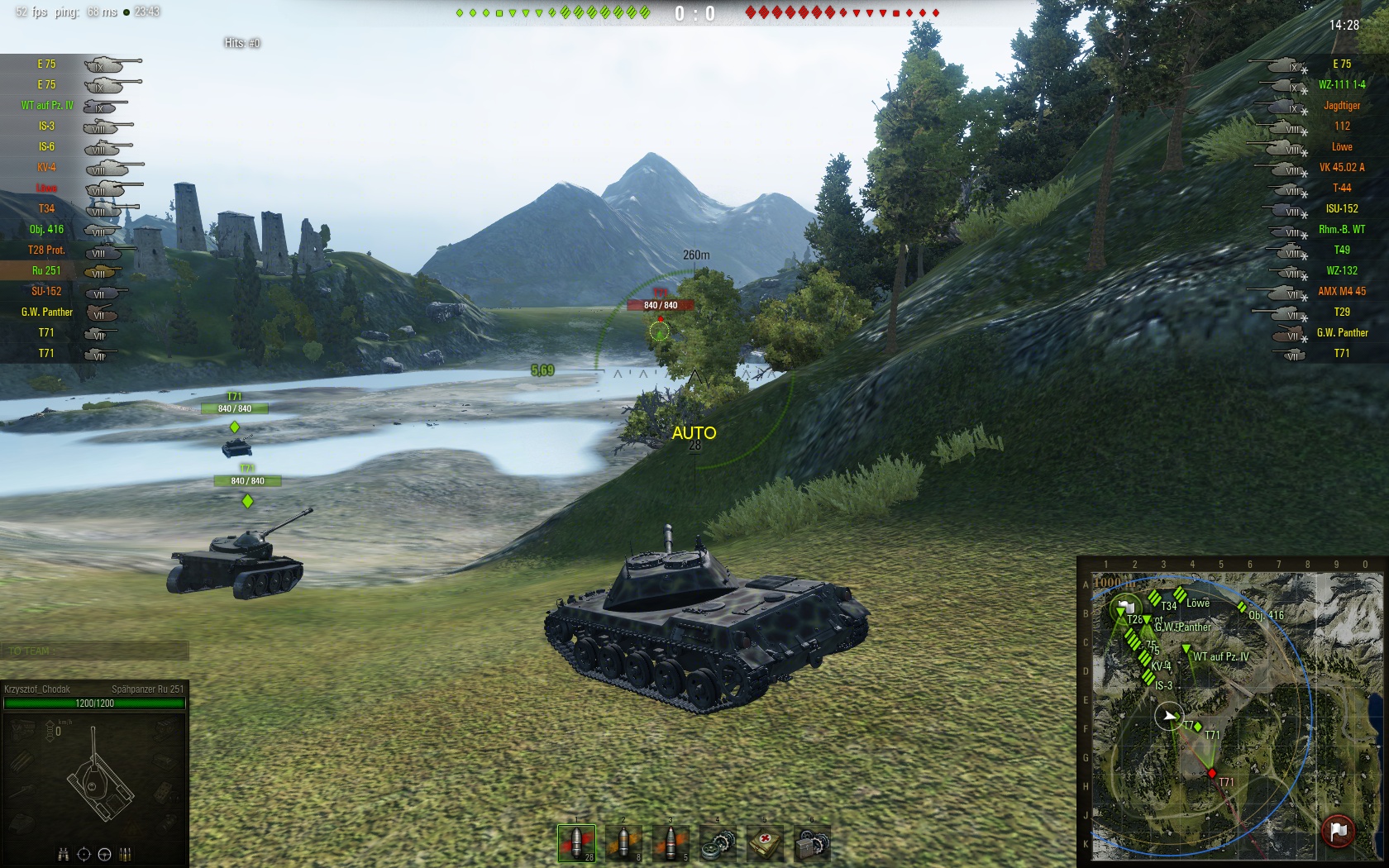
[0.9.4] Autoaim indication+


Yellow AUTO near the center of the screen while in autoaim mode; some requested it
new features (configurable in json file):
- instead of AUTO the name of vehicle autoaimed is displayed
- ability to snap to nearest vehicle while autoaiming (when you autoaim without any target highlighed - the nearest vehicle to aiming circle is being found)
customizable appearance by json config
- ​ability to define a toggle key code to (permanently) turn the mod on or off with it (you need to press and hold the key during the battle, off by default as it could bring some performance penalty; list of key codes can be found here)

available fonts:
default_medium.font (HGSoeiKakugothicUB 20)
default_small.font (HGSoeiKakugothicUB 15)
default_smaller.font (HGSoeiKakugothicUB 12)
hpmp_panel.font (Arial 12)
system_large.font (Courier_New 15)
system_medium.font (Courier_New 13)
system_small.font (Courier_New 11)
system_tiny.font (Courier_New 10)
verdana_medium.font (Verdana 20)
verdana_small.font (Verdana 15)

Changelog:
20141031 first dated release
20141101 toggle on/off messages (can be removed from config or set to empty string to make it off)
20141103 optimization - should lag less
20141105 works fine with 0.9.4, no new files needed
20141106 angular snapping (vehicle closest to the aiming circle will be caught)
20141113 new option to limit snapping area, 7.5 degrees by default (roughly covers aiming circle)
20141120 E does not trigger snapping, indicator is hidden when one quits battle
20141121 (optional, on by default) outline for locked target

Kind request to mod packers to drop a line here if one adds the mod to its pack

Available in modpacks: OMC, webium's, Aslain's


binary: directory with all my mods
other mod: tank-directions-on-minimap-spotted-vehicle-direction-on-aim-circle

Saturday, November 15, 2014

Deegie’s Sights 9.4


Deegie’s Super Informative Sights give WoT a futuristic look and you a bunch of useful info to look at while trolling around. The sight shows vehicle distance, effective penetration, make, your’s and the enemy’s reload times and more.
Deegie’s sights aren’t updated by Deegie anymore, but GKstd has made a remake for WoT 9.4 and looks like he will be following up with the development of the mod.
To install, extract to your World_of_Tanks/res_mods/ folder. 
Deegie’s Sights 9.4: Download

J1mB0′s Crosshair Mod

Official update for WoT 9.4, version 1.43 of the mod

Widely popular J1mB0′s Crosshair Mod upgrades your reticle display to show reload time and offers improved cross-hairs.
- crosshair_panel_arcade.swf : Crosshair for arcade mode
- crosshair_panel_sniper.swf : Crosshiar for sniper mode
- crosshair_panel_strategic.swf : Crosshair for Artillery mode
- crosshair_panel_postmortem.swf : Crosshair for dead mode
- crosshair_sniper.swf : Aim circle for arcade and sniper mode
- crosshair_strategic.swf : Aim dots for artillery mode
- GunConstraints.swf : Artillery and Tank Destroyer angles
- GunConstraints.xml : Configuration file for angles
- avatar_input_handler.xml : Zoom Out mod and gun shake removal
- J1mB091.png : Player logo for XVM users
If you don’t like something in the crosshair you should be able to find out what file to delete or replace. Every file that ends with *.xml can be edited using Notepad if basic XML knowledge is available.
Installation:
Copy the “res_mods” folder to your World of Tanks folder
Right click, Install the “XVM.ttf” font from the “font” folder OR copy it to “C:\Windows\Fonts”
*Optional* Copy the “crosshair_panel_strategic.swf” you like from the “arty-mode\type” folder to: “\World of Tanks\res_mods\version\gui\flash”
Updated for 9.4 and XVM 5.4.1 

Download